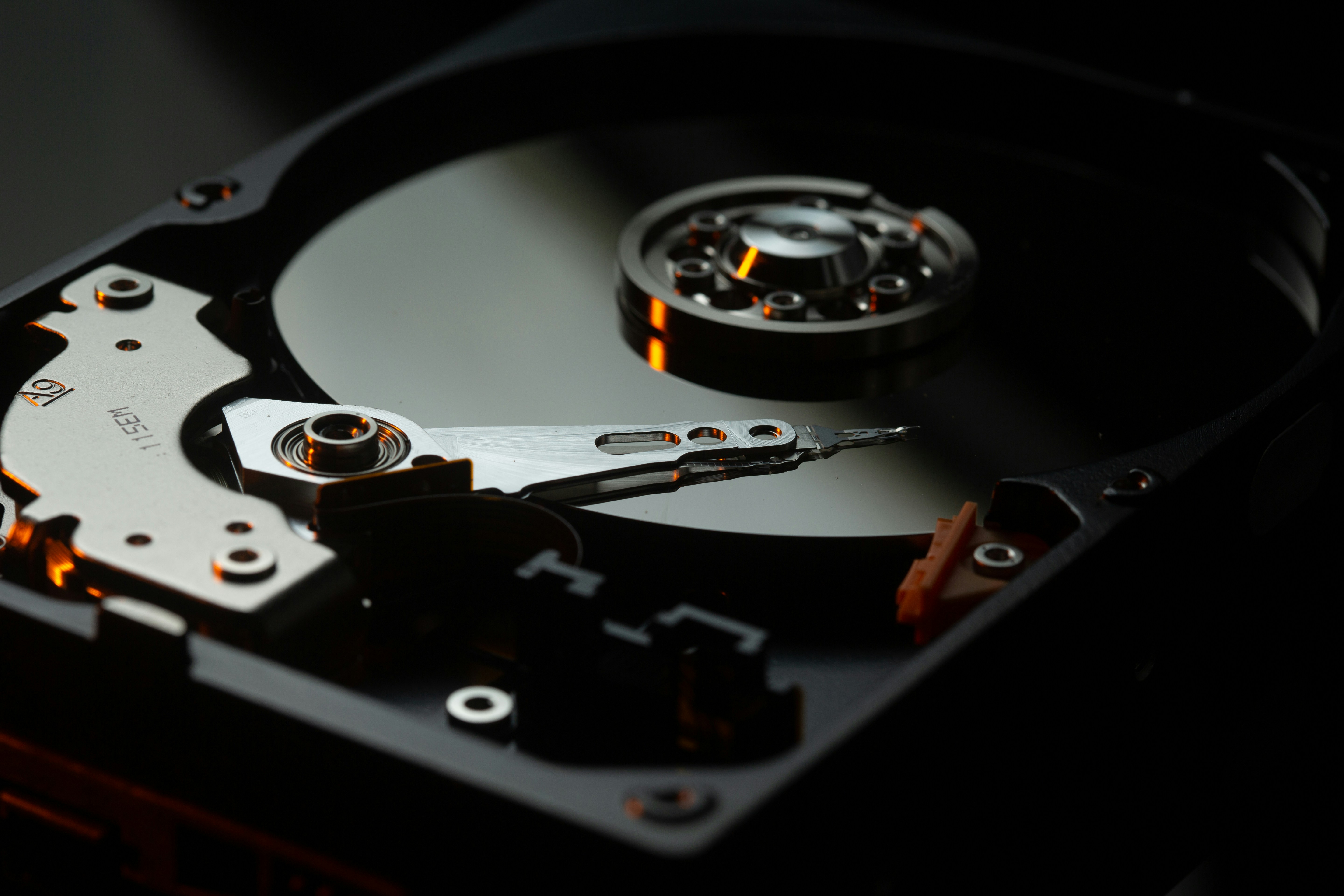
That clicking, ticking or grinding sound coming from your hard drive is one of the scariest noises a computer can make. It means the tiny read/write head — the arm that hovers a hair's width above spinning platters at thousands of RPM — has failed or is about to. Every extra second of power raises the risk of permanent data loss. This guide is the same first-aid our engineers at Data Doctor Hub give worried customers on the phone every day.
What is really happening inside a clicking drive?
A modern hard disk contains one or more polished platters that spin at 5,400 to 15,000 RPM. Just above them sits an actuator arm carrying a magnetic read/write head. Under normal use the head glides on a cushion of air about 3 nanometres thick.
When that cushion collapses — because of a physical shock, worn bearings, a firmware fault or a power surge — the head starts touching the platter surface. It retracts, tries to re-park, hits the ramp, and clicks again. That repeating rhythm you hear is the arm failing to seek a stable position. Every failed attempt scratches a little more of the magnetic coating away.
The 5 things you must do immediately
- Power the drive OFF right now. Do not restart, do not run chkdsk, do not scan for errors — every extra second of spin damages more platter surface.
- Do not open the drive. HDDs are assembled in class 100 cleanrooms; even a single dust particle is 100× larger than the flying height and can destroy any remaining data.
- Do not put it in the freezer or hit it on the desk. These 90s myths destroy modern drives.
- Label the drive with the date of failure and what happened just before (dropped, power cut, blue screen, etc.). It helps engineers pick the right recovery path.
- Call a professional recovery lab or bring it in. The sooner the drive is imaged onto healthy media, the higher the recovery chance.
The 5 things you must NOT do
- Do not run recovery software on a clicking drive. Software recovery only works on logical failures; on a physically failing drive it forces more read attempts and accelerates damage.
- Do not swap the PCB (green circuit board) yourself. Modern PCBs contain calibration data unique to each drive — a mismatched board can brick it permanently.
- Do not keep powering it up 'to try one more time'. The first hour after a head failure is the most valuable — treat it like a heart attack.
- Do not send it in a padded envelope. Use a small box with foam and mark it 'FRAGILE — DO NOT DROP'.
- Do not delay because you're worried about cost. Reputable labs (including us) offer free diagnosis and a 'No Recovery, No Charge' guarantee.
What a professional recovery actually looks like
In a Class 100 cleanroom (fewer than 100 dust particles bigger than 0.5 microns per cubic foot of air), engineers open the drive under a laminar-flow hood, swap the failed head stack with a matching donor part harvested from an identical drive, and immediately clone the platters onto a new healthy disk using a hardware imager.
Only after the raw image is safe do they start file-system reconstruction. Depending on how many sectors are readable, the recoverable data is presented as a file list you can approve before you pay anything.
How much does clicking-drive recovery cost?
For a consumer HDD the typical range in India is ₹7,000 to ₹22,000 depending on capacity and severity. RAID-array or NAS clicking drives run higher because multiple donor drives may be needed. Emergency 24-hour service usually adds 60–90 percent.
At Data Doctor Hub every case starts with a free diagnosis — you'll see an itemised quote before any recovery work begins. If we can't recover the data, you pay nothing.
Not sure what's wrong with your drive?
Get a certified engineer's opinion in 20 minutes — no obligation, no charge.
Frequently asked